Skip to content

Biometric attendance.
On any webcam.

Stop time theft. Set up secure, offline face recognition on any computer in minutes. Zero hardware costs.

Encrypted on your deviceNo vendor lock-inOpen Source
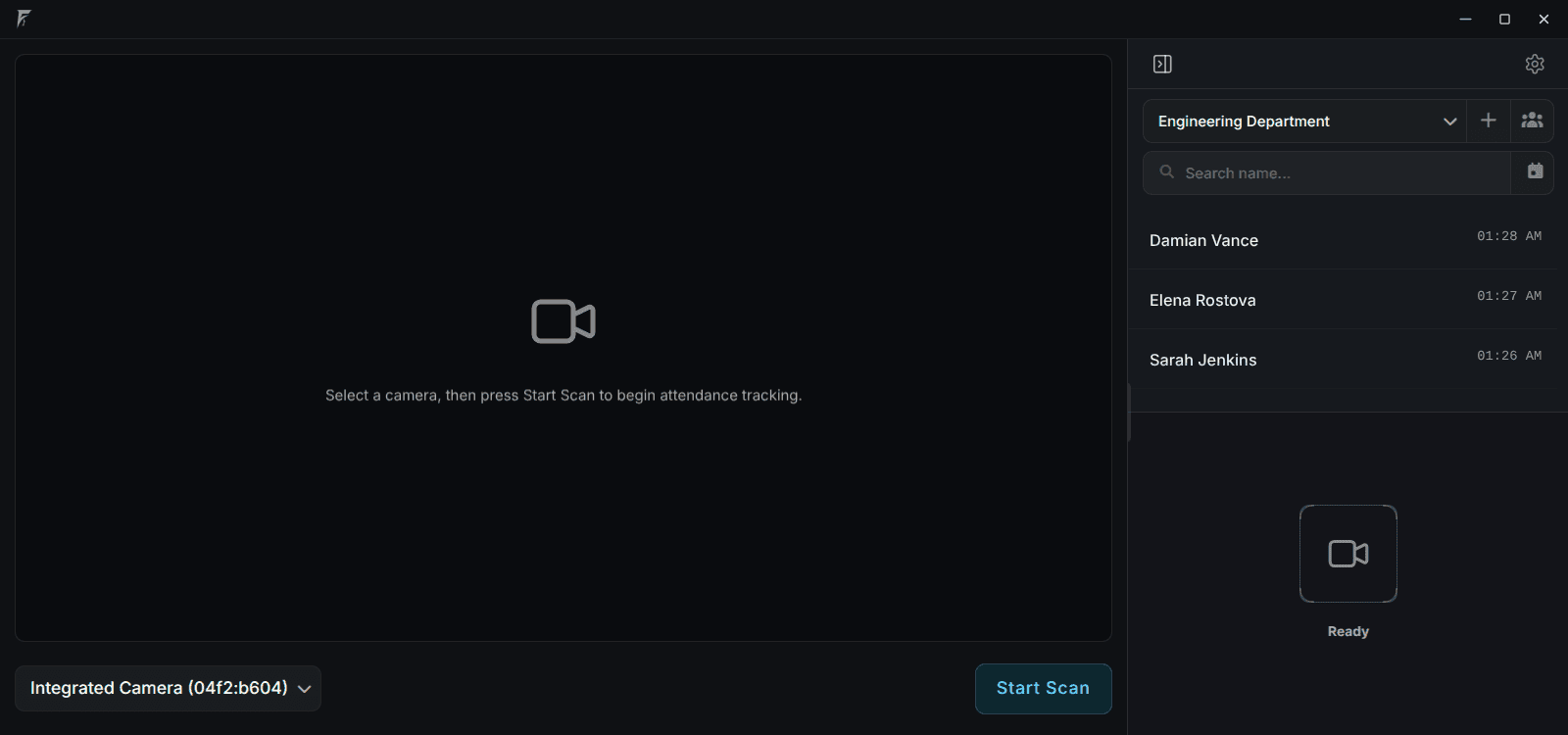
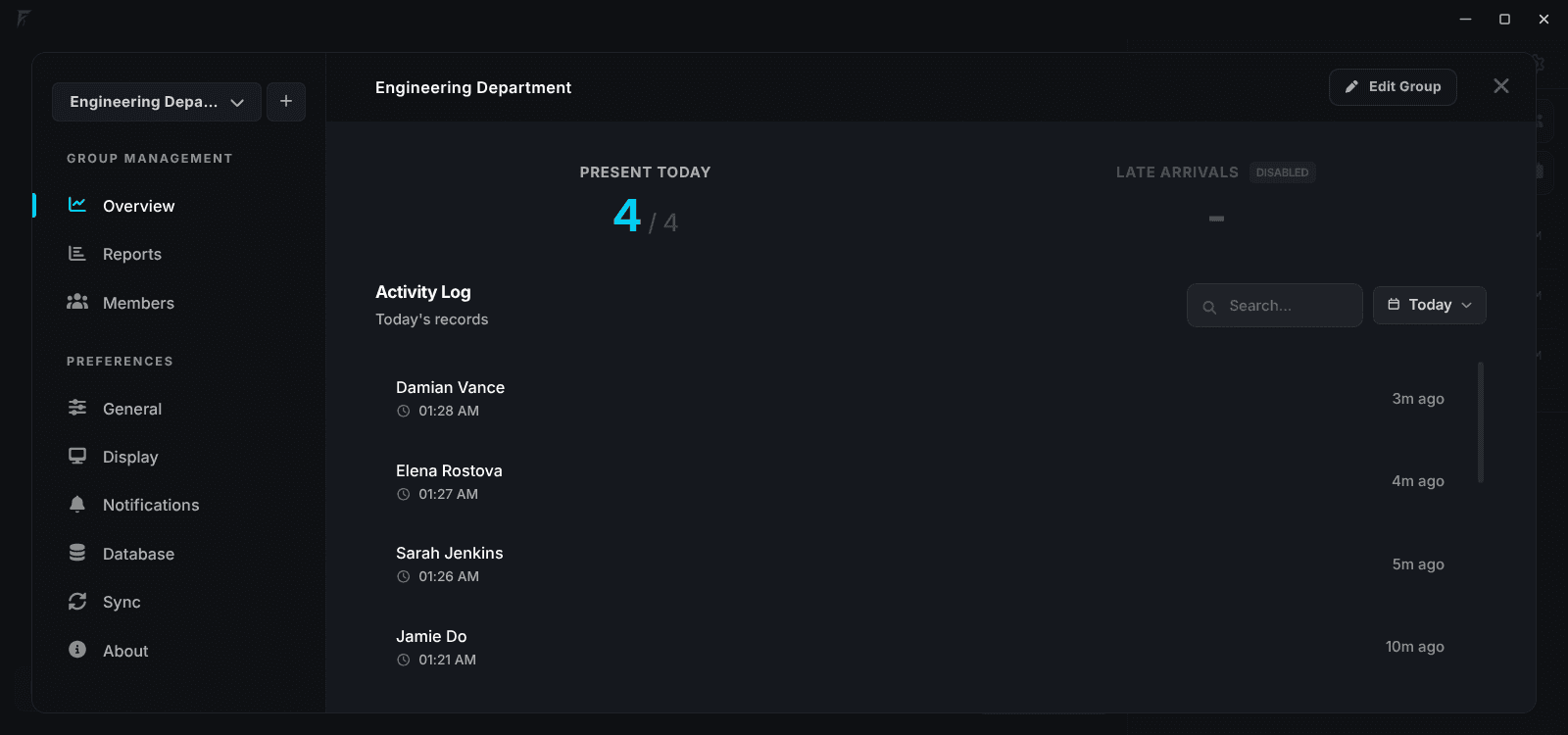
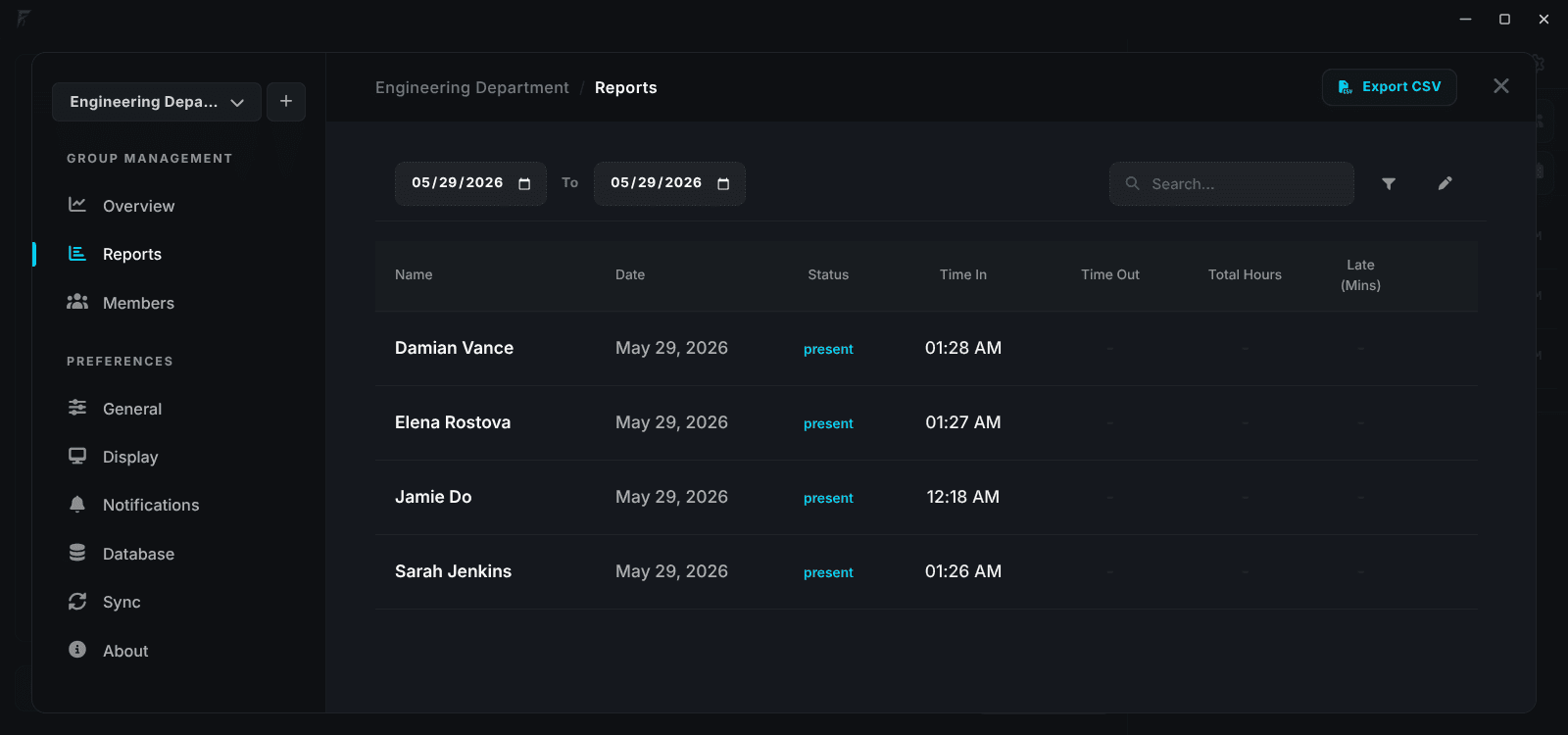
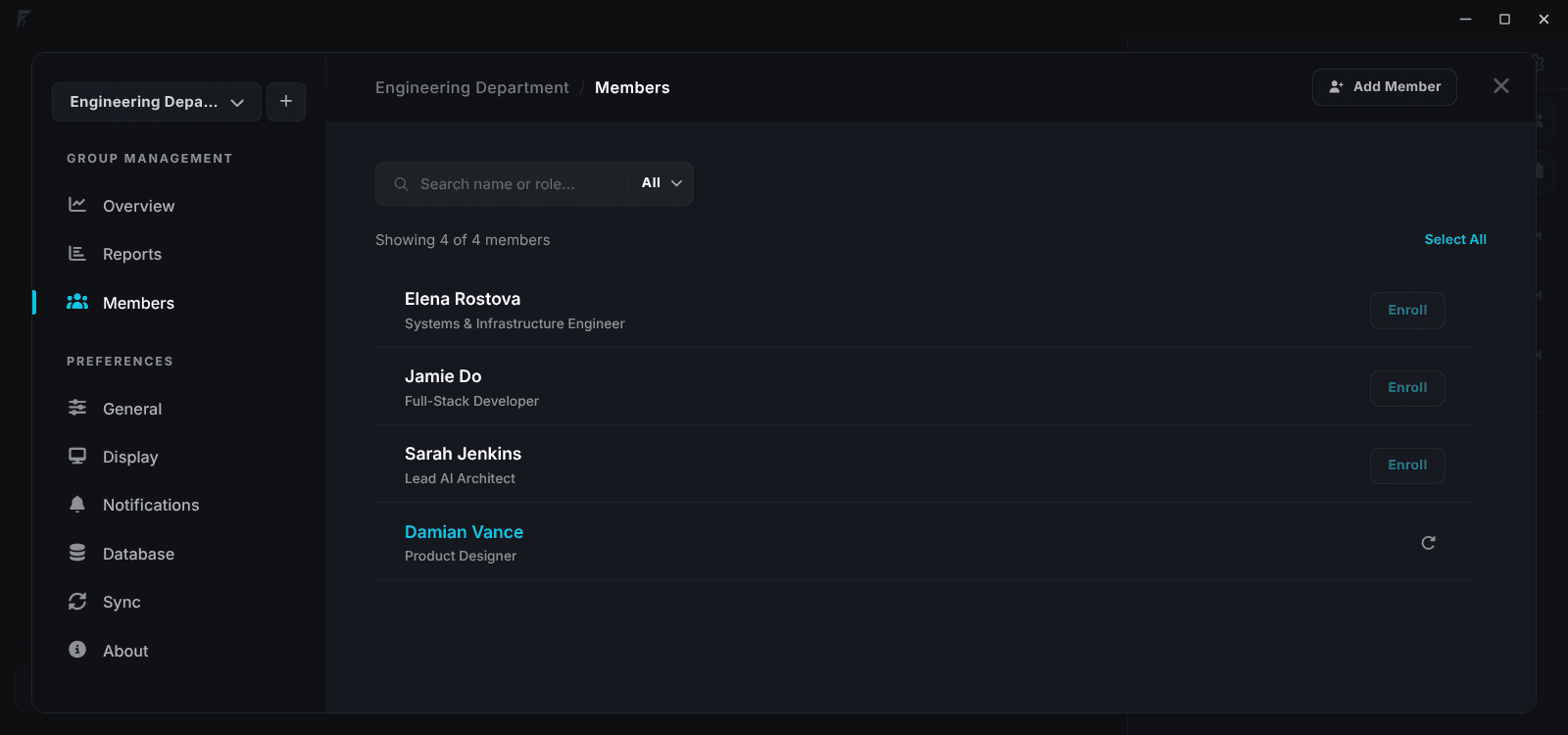
Facenox desktop interface
Simple Setup

How It Works

Turn any device into a secure clock-in station. Runs fully offline. Remote sync when you need it.

Download & Install

Download desktop app for Windows, macOS, or Linux and install it.

Enroll Users

Add each person by capturing their face real-time using a webcam or by uploading a photo.

Start Tracking

Your users can start clocking in right away. All processing runs locally on the device.

Real-time Detection

Recognize. Instantly.

Detection happens locally in under 100 milliseconds, eliminating network lag and cloud server roundtrips. Fast, private, and works even when internet is completely down.

Desktop app

Free Download.
No Sign Up Required.

Enroll and verify on-device. All processing stays local.

Facenox Desktop Face Recognition Live Home Screen
Liveness Detection

Blocks photo & video
spoofing.

Prevents photo and video attacks by analyzing real-time skin texture and micro-reflections. Verified against thousands of spoof tests. 100% on-device.

Your Device
Local Storage
Offline-First

No Internet Required.

Enrollment, face recognition, and logging happen on your device. Sync to the Dashboard only when you choose to.

100% Offline-Capable
Data Privacy

Zero photos stored.

We never save any photos. Raw face images are discarded immediately. Only an encrypted mathematical code stays on your device.

GDPR-READY
ENCRYPTED ON-DEVICE
Biometric face extraction pipeline visualization
No extra hardware

Any camera.
No vendor lock-in.

Most face systems tie you to expensive special scanners. Facenox runs on what you already own.

Others

Expensive hardware.

  • Expensive special scanners to buy and maintain
  • Annual support contracts you can't escape
  • Vendor can deactivate your system remotely
  • Single point of failure if the device breaks
  • Proprietary scanners require dedicated hardware and servers
Facenox

Runs on any webcam.

No scanner needed

Enrollment and recognition run on whatever camera is already connected. Built-in, USB, or external capture card.

You own everything

All data stays on your local computer by default. Nothing leaves your device unless you choose to enable Remote Sync.

Lightweight

Works on any ordinary computer you already have. No special hardware needed.

Works with
OS
Supported Platforms
Windows 10/11, macOS 11+, Linux
CPU
Memory & CPU
4 GB RAM • Dual-core CPU (No GPU needed)
CAM
Camera Support
Any built-in or USB webcam (720p+ Recommended)
Data boundary

Encrypted on your device.

Local device
Stays on your device

Local

Face data is encrypted before it ever leaves.

Dashboard
Syncs only when you allow it

Remote

Encrypted face data, attendance logs, and settings on demand.

Applications

Built for real-world environments.

Standard setup with laptop and webcam

Any Location

Turn any existing laptop or desktop PC into an attendance kiosk in under 2 minutes. Works with built-in or USB webcams with zero extra hardware to buy.

Industrial fanless mini PC server for isolated setups

Isolated Environments

Engineered for factories, warehouses, and remote construction sites. Runs 24/7 on low-power fanless Mini-PCs without needing IT network infrastructure.

Multiple Branches

Deploy standalone kiosk devices across unlimited sites. Securely aggregate attendance logs and manage remote devices through a unified cloud dashboard.

  • Centralized fleet management for retail chains, franchises, and multi-office sites.
  • Syncs encrypted data in light background batches without slowing down local kiosks.
  • Monitors live device health and attendance logs across all locations in one dashboard.
Row of multi-branch mini PC server nodes
Optional Remote

Dashboard for remote access.

Remote Hub

Private

Raw facial images never leave the local machine's firewall.

Logs

Time-in/out reports sync for payroll integration.

Monitoring

Monitor multiple locations and device health remotely.

Manage Multiple Branches.

Sync your local attendance logs to a central online dashboard to see everything in one place.

Remote Sync Pricing

Local is always free.Scale when you need to.

Essentials

For micro teams and testing.

Free
  • 1 Organization
  • 1 Location
  • 2 Active Devices
  • 10 Enrolled Members
  • 7-Day Cloud History
  • Last 100 Audit Logs
Most Popular

Starter

For small retail & operations.

$9/mo
  • 1 Organization
  • 1 Location
  • Unlimited Active Devices
  • 50 Enrolled Members
  • 30-Day Cloud History
  • Last 500 Audit Logs

Professional

For high-density operations.

$29/mo
  • Up to 3 Organizations
  • Unlimited Locations
  • Unlimited Active Devices
  • 150 Enrolled Members
  • Lifetime Cloud History
  • Unlimited Audit Logs

Enterprise

Custom pricing for large operations.

Custom
  • Unlimited Organizations
  • Unlimited Locations
  • Unlimited Active Devices
  • Unlimited Enrolled Members
  • Lifetime Cloud History
  • Unlimited Audit Logs
  • SSO / SAML
  • SLA Guarantee
  • Priority Support
FAQ

Common questions.

Ready to get started?

Download desktop app for free, or set up the dashboard to use remote sync and manage multiple branches.